
01 / Multiple channels
Emails, PDFs, forms
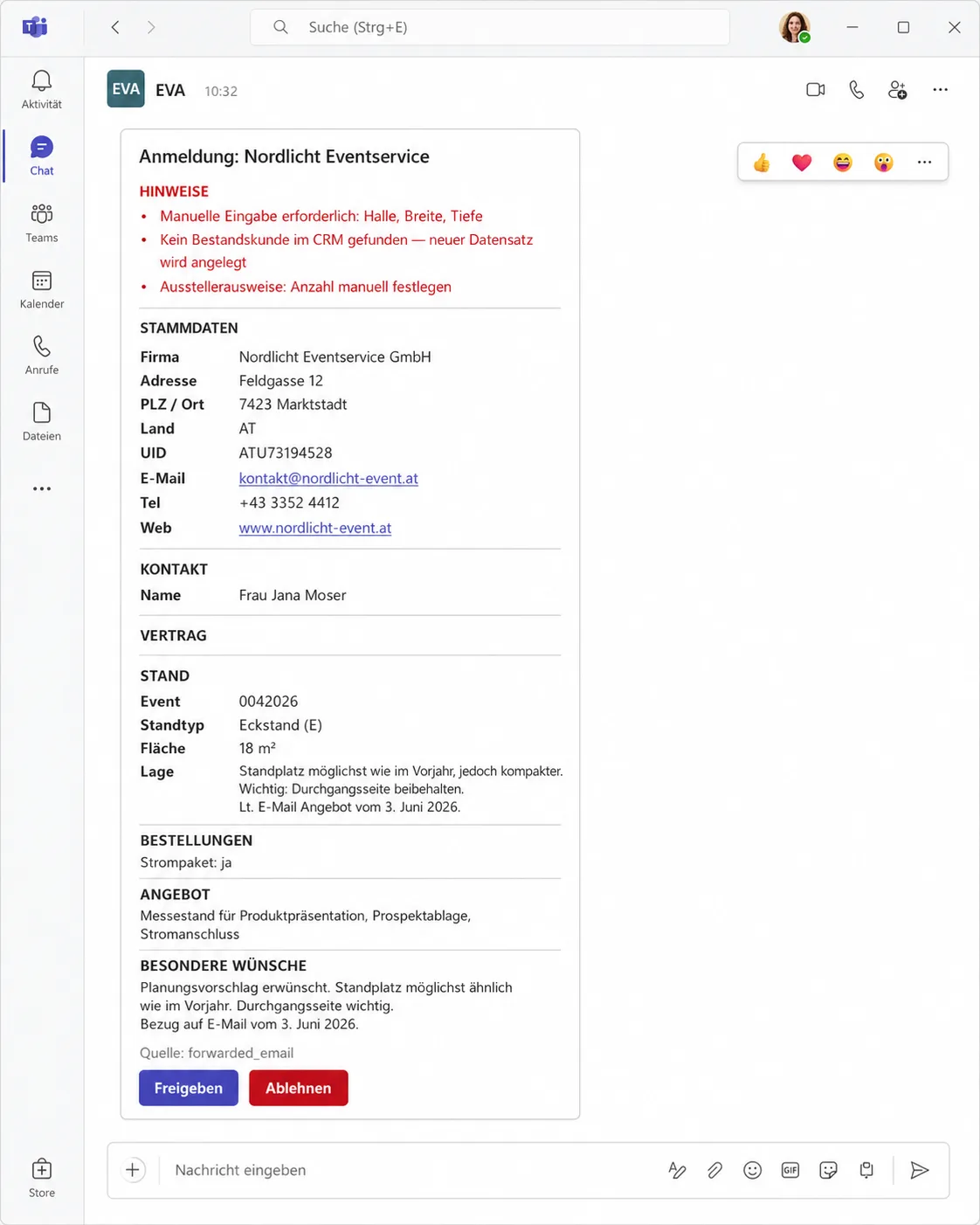
Requests come from forms, emails, and PDFs. Eva brings them together into a structured format.
Eva shows what AI-supported process automation can look like in the back office: a digital operations employee reads requests from forms, PDFs, and emails, checks master data, and prepares CRM records.
The focus is the many small checks, handovers, and entries that tie up time in daily operations.
Automating workflows sounds easy until the work consists of forms, emails, PDFs, spreadsheets, and CRM fields. This is exactly where friction occurs.
Requests come from forms, emails, and PDFs. Eva brings them together into a structured format.
The same checks and handovers appear every day: comparing master data, finding existing customers, preparing CRM records.
AI process automation works better when exceptions remain visible: receipt, checking, preparation, handover.
Eva prepares the case before it reaches the team.
A request comes via form, email, or PDF. Eva extracts the relevant information, compares it with the CRM, and prepares the record. This turns back office automation into a verifiable workflow.
Channel, format, and responsibility are defined in advance.
Company, contact person, desired service, period, location, internal references.
Appropriate master data is linked and missing or contradictory fields are marked.
Structured, linked to sources, and ready for the team.
With a note as to why the case does not continue automatically.
Eva does not take over the whole process. It handles the part that recurs, can be described, and can be clearly defined.
The specific connection depends on the system. Eva can also work in environments where the data is on-premise. What matters is which access is truly necessary for the task and where a person has to approve it.
Eva should not make open decisions without a framework. Good operations automation works with limitations.
AI process automation in the back office means preparing recurring work with documents, emails, forms, master data, and CRM records. A digital operations employee reads information, checks data, prepares work steps, and passes exceptions to humans.
This depends on the CRM, the rights, and the desired process. A sensible start is often to prepare CRM records and make them visible before a human approves them.
Frequent workflows with clear inputs and verifiable intermediate steps are suitable: structuring inquiries, reading PDFs, comparing master data, recognizing existing customers, preparing CRM records, and marking open points.
Typical inputs are forms, PDFs, and emails. The project uses real examples to check which fields can be read reliably.
Yes, such setups are possible. The specific architecture depends on how the data can be accessed and what security requirements apply.
No. Eva takes on recurring preparatory work. Decisions, edge cases, and responsibility remain with people.
It starts with a clear process: an input channel, a data type, a target system, and a task that occurs frequently enough. This creates a limited MVP.
Yuno asks four quick questions about input channels, data sources, target system, and approval. After that, it is clearer whether an AI process automation pilot makes sense.