
01
Recurring
The same checks appear every day or every week: invoices come in, data is compared, exceptions are passed on.
AI in accounting works well when it is given a clearly defined task: reading invoices, checking goods receipts, comparing prices, preparing DATEV CSV exports, and marking exceptions.
A digital finance employee does not replace the accounting department. It removes recurring checking and comparison work from day-to-day business, makes deviations visible, and passes unclear cases on to people.
Accounting is a good starting point for digital employees because many tasks are recurring and have clear boundaries. A digital finance employee can read receipts, reconcile data, prepare export files and extract the cases that a human should review.
The same checks appear every day or every week: invoices come in, data is compared, exceptions are passed on.
There are threshold values, approvals, mandatory fields and clear exceptional cases. Exactly the kind of structure a digital employee needs.
You can quickly see how many documents have been checked, prepared or escalated. Results and effort can be directly compared.
Finn checks invoices before breakfast.
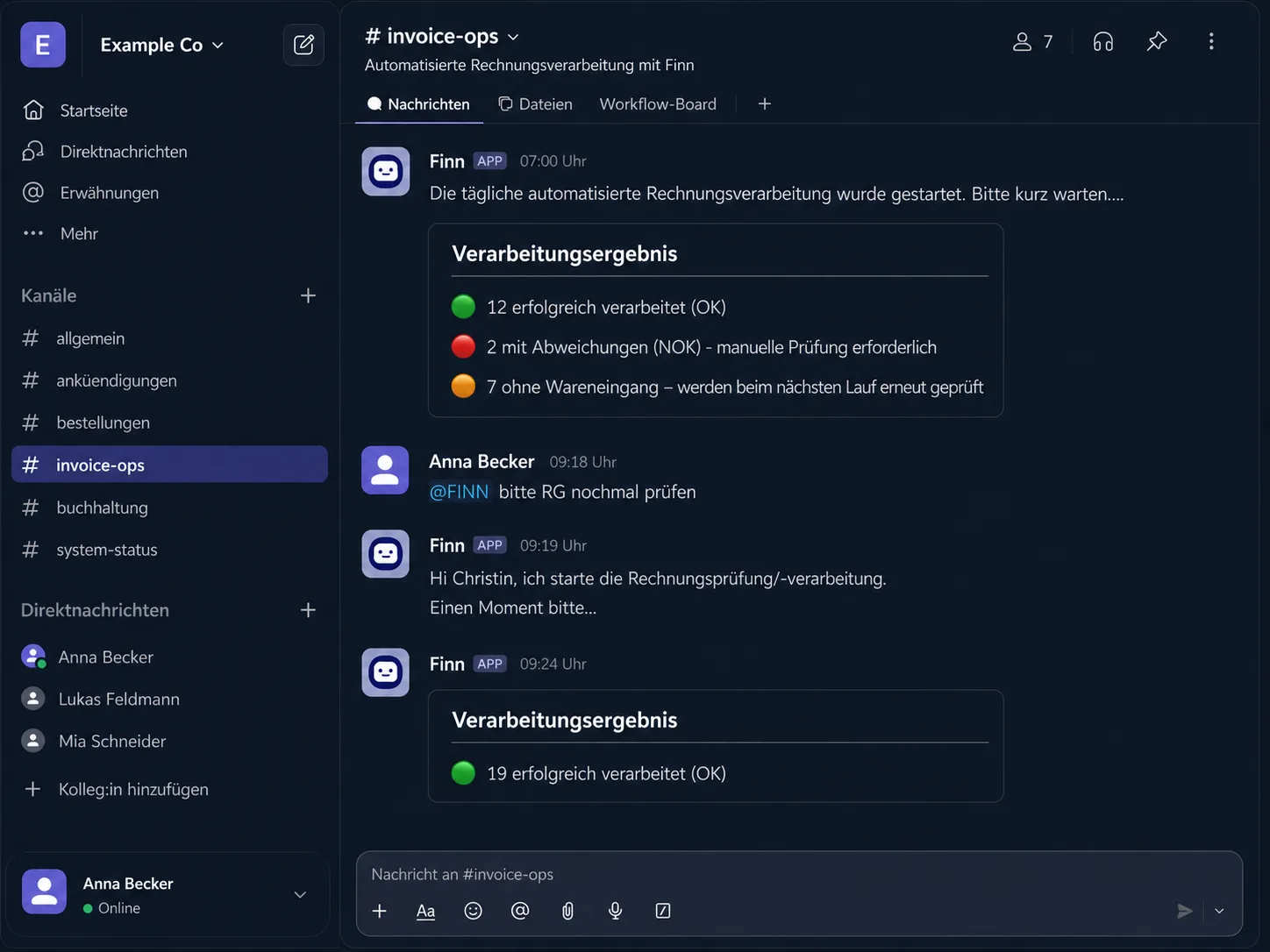
Finn is a digital finance employee. It communicates via Slack and starts automatically in the morning. Its task is clearly defined: check invoices from a defined folder and prepare them for further accounting.
Source, format and responsibility are determined in advance.
Supplier, line items, amounts, VAT number, mandatory fields.
Order, goods receipt, stored conditions.
Structured, commented, in the right format for accounting.
With a note as to why the case does not continue automatically.
The important point is not that Finn does everything alone. The important point is that Finn reliably prepares the recurring work and makes deviations visible.
The list is typical, not exhaustive. Which steps are automated depends on the process.
This is not a disadvantage, especially with financial data. Good boundaries make the digital employee useful.
Recurring tasks with documents, rules, and clear exceptions are suitable: checking invoices, reconciling goods receipts, comparing price data, preparing CSV exports for downstream accounting processes, or marking cases for approval.
It can prepare or mark invoices within defined rules. Whether it approves an invoice itself depends on the process, thresholds, and internal approval rights.
Deviations, uncertainties or cases outside defined limits are handed over to people with context. This makes it clear why a case does not continue automatically.
A digital finance employee can prepare data so that it can be used for downstream accounting processes, for example as a CSV export for a DATEV import. The exact connection is checked for each setup.
thirdmind works with EU hosting, roles and rights, audit logs, human-in-the-loop, and no use of customer data to train third-party LLMs. The specific security architecture is defined in the project.
No. Projects can also involve on-premise systems. What matters is which data the digital employee needs for the task and how securely that data can be accessed.
Yuno asks four short questions about process, volume, data, and decision scope. After that, it is clearer whether a finance pilot makes sense.